In the fast-paced digital age, where our lives are intricately woven with technology, maintaining our computers becomes paramount. Just like any other device, computers require regular care to ensure optimal performance and longevity. This article outlines 10 essential computer maintenance practices that will not only enhance your system’s efficiency but also extend its lifespan. Let’s dive into the world of computer care, demystifying the process for users of all levels.
Regular Software Updates: Keeping Pace with Innovation
One of the fundamental aspects of computer maintenance is ensuring your operating system and software are up-to-date. Regular updates not only provide new features but also patch security vulnerabilities, safeguarding your computer from potential threats.
Antivirus Software: A Shield Against Cyber Threats
In an era where cyber threats loom large, having robust antivirus software is non-negotiable. Invest in a reputable antivirus program and schedule regular scans to identify and eliminate any malicious software that might compromise your system.
Optimize Storage: Declutter for Speed
An often overlooked aspect of computer maintenance is storage optimization. Regularly cleaning up unnecessary files, applications, and duplicates not only frees up space but also contributes to faster system performance.
Hardware Inspection: Prevention is Key
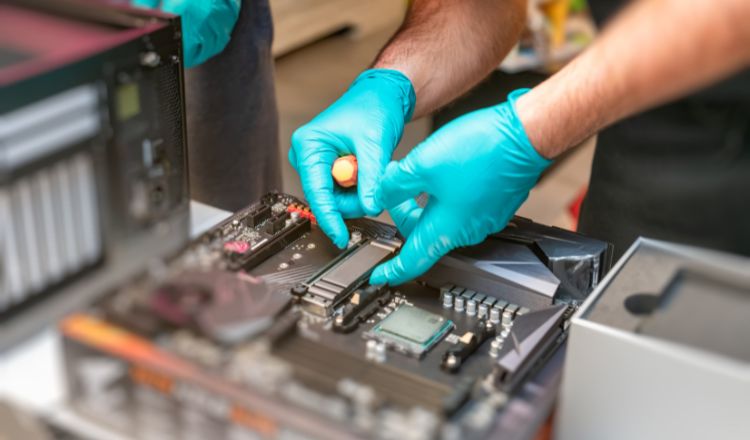
Regularly inspecting your computer’s hardware is crucial. Ensure that all components, including cables and connectors, are securely in place. Dust off internal components to prevent overheating, which can lead to performance issues.
Backup Your Data: Guard Against Loss
Imagine losing important documents or cherished memories due to a system failure. Regularly back up your data using external drives or cloud services. This not only protects your valuable information but also facilitates a smoother recovery process if the need arises.
Password Management: Strengthen Your Digital Fortress
Security is paramount in the digital realm. Regularly update and strengthen your passwords. Utilize a reliable password manager to keep track of complex passwords, adding an extra layer of defense against potential breaches.
Browser Maintenance: Smooth Sailing on the Web
Your internet browser is your gateway to the digital world. Regularly clear your browsing history, cache, and cookies to ensure a seamless online experience. This not only enhances performance but also improves your online security.
Monitor Software Resource Usage: Optimize Performance
Keep an eye on your computer’s resource usage through the Task Manager. Identify and close resource-intensive applications to optimize performance. This proactive approach prevents sluggishness and potential system crashes.
Educate Yourself: Stay Informed
Knowledge is power, especially in the realm of computer maintenance. Stay informed about the latest trends, updates, and security threats. Engage with online communities, forums, and resources to enhance your understanding and stay ahead of potential issues.
Regular Checkups: Professional Expertise Matters
Just like an annual health checkup, your computer benefits from professional attention. Schedule regular checkups with a qualified technician to conduct in-depth diagnostics, ensure hardware integrity, and address any underlying issues that might escape your notice.